YouTube-Music-Background-Play-Without-Subscription
🎧 Play YouTube Music in Background Without Premium (Free Android Method 2026)
This guide shows you how to play YouTube Music in the background without a Premium subscription on Android. This 100% free method uses Chrome desktop mode and works easily without installing any app.
🚀 Features
- ✅ 100% Free (No subscription needed)
- ✅ No app install required
- ✅ Works on Android (Chrome browser)
- ✅ Simple and fast method
🏷️ Tags
- how to play youtube music in background without premium android
- youtube music background play chrome mobile
- free youtube music background play 2026
- play youtube music without subscription android
- youtube music desktop mode trick android
📱 Step-by-Step Guide
Step 1: At First Open Chrome Browser or
Open Google Chrome on your phone.
Step 2: Here You Go to YouTube Music Website Type in address bar:
👉 https://music.youtube.com And Then Hit Enter.

Step 3: Turn On Desktop Mode
👇Follow Screenshots Tap the 3 dots (⋮) In The Top-Right Corner = Tap Desktop site ✔️
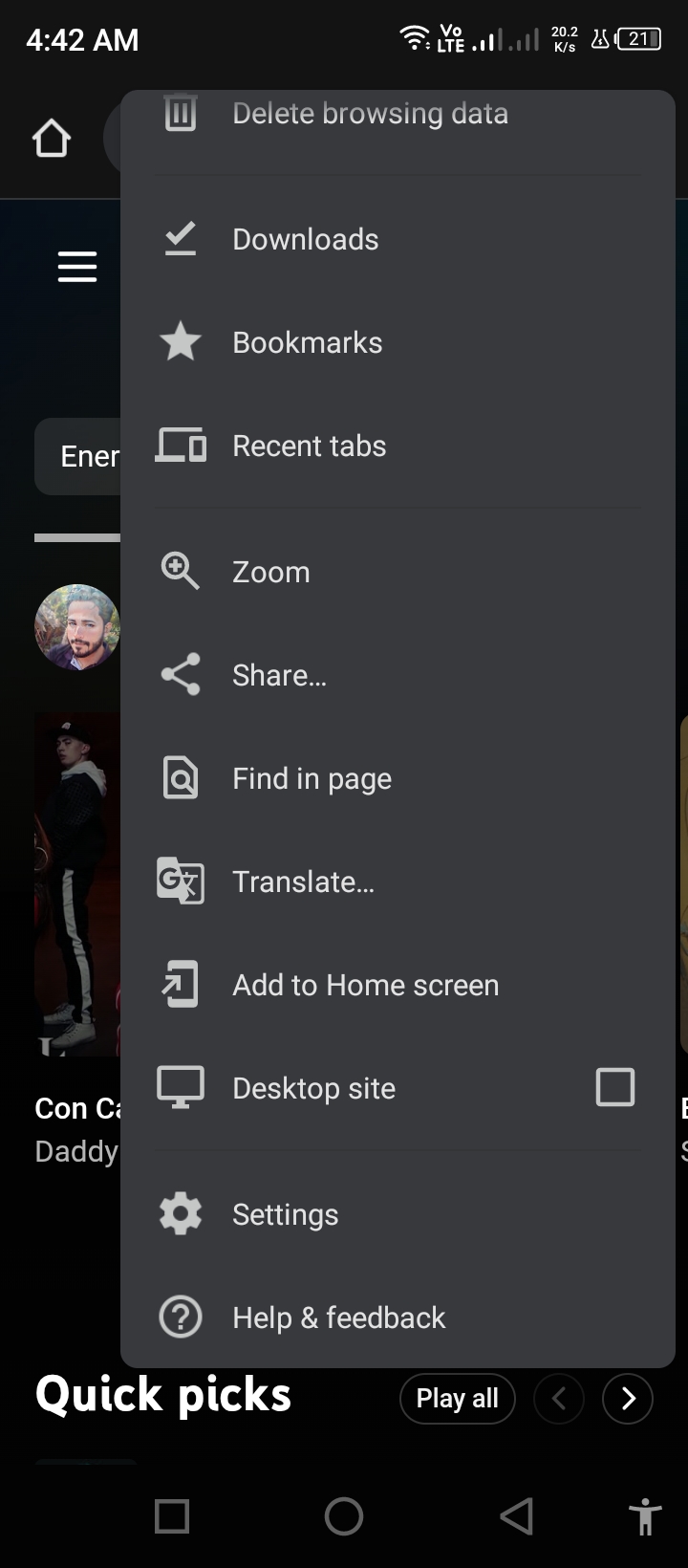
👉 Now the page will look like a computer version See Screenshot
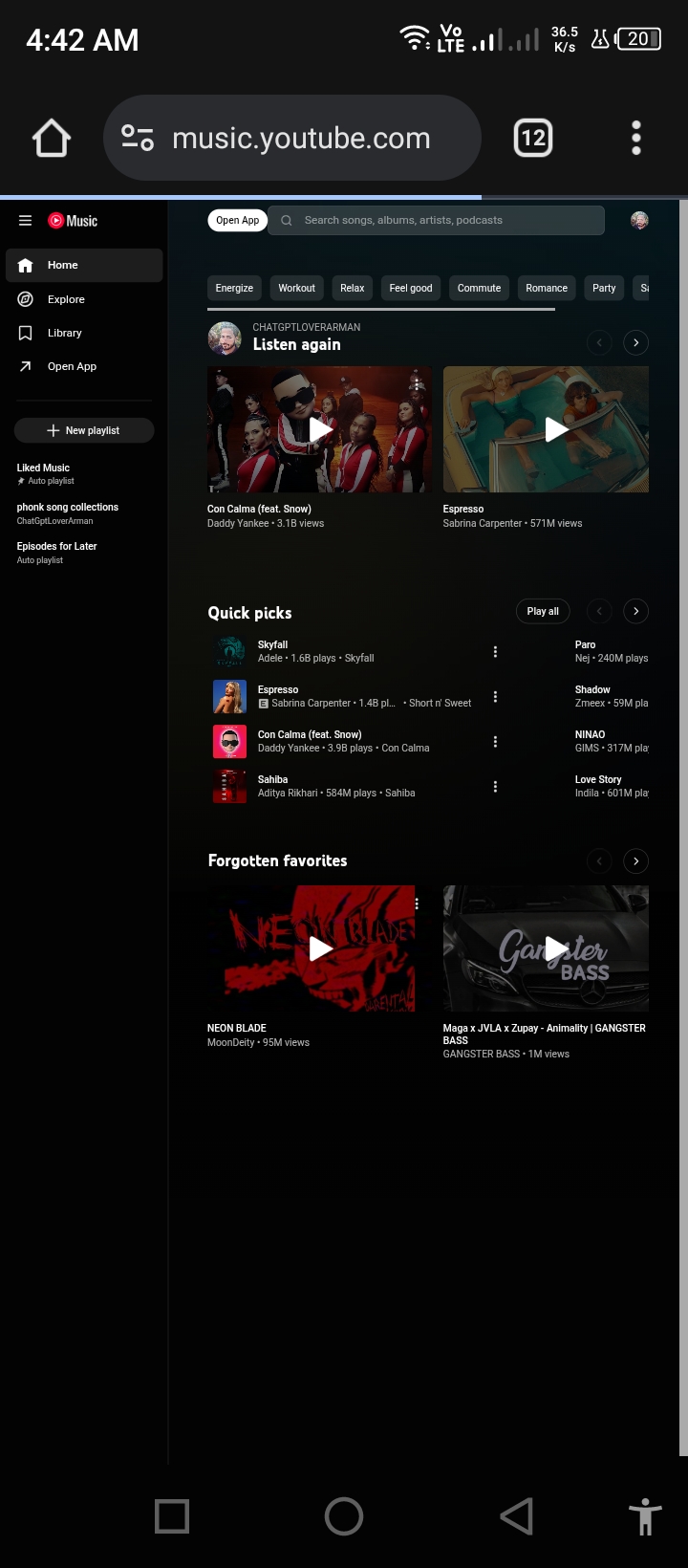
Step 4: Play Any Song You Want or
Choose a song from:
- Quick picks
- Listen again
- Or search from the top bar
Boom, Start Playing Now ▶️
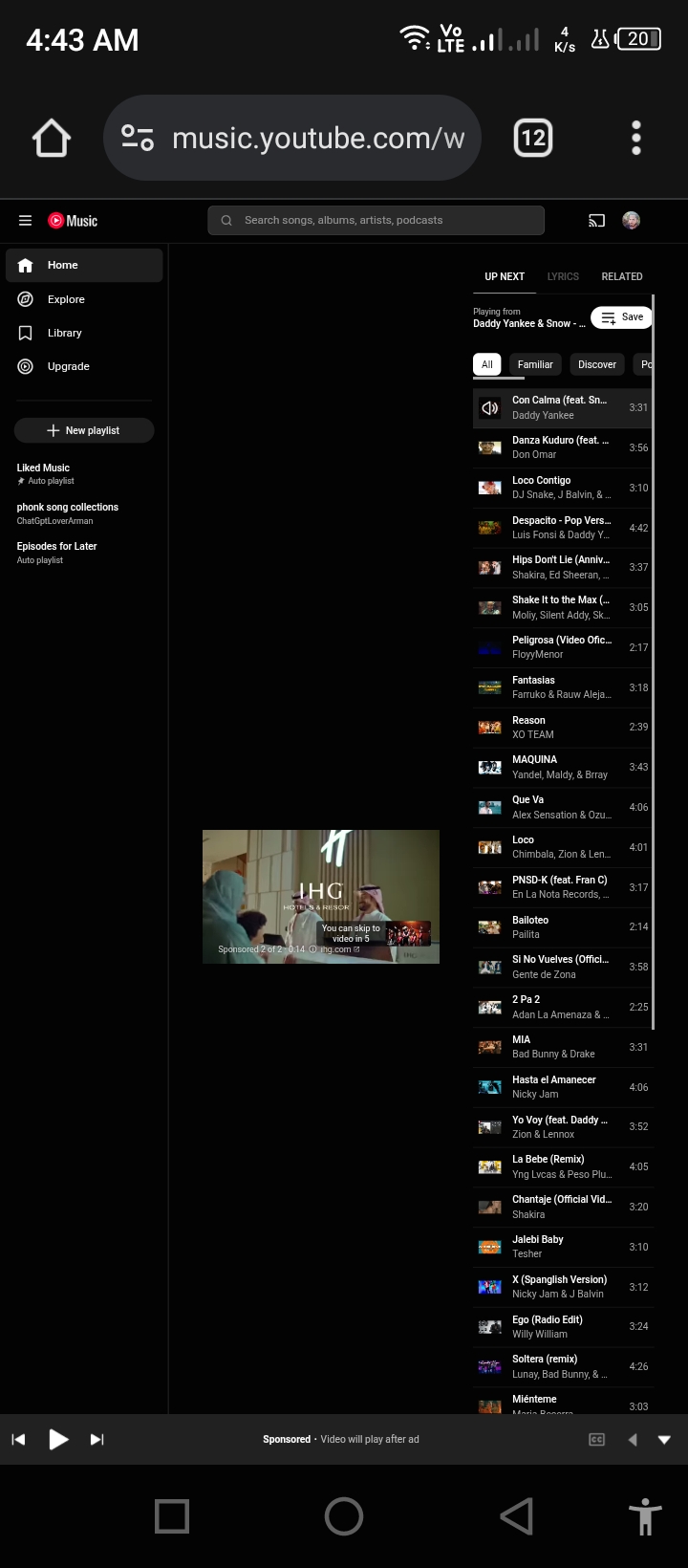
Step 5: Now Direct Minimize Chrome
Press the Home button or switch apps.
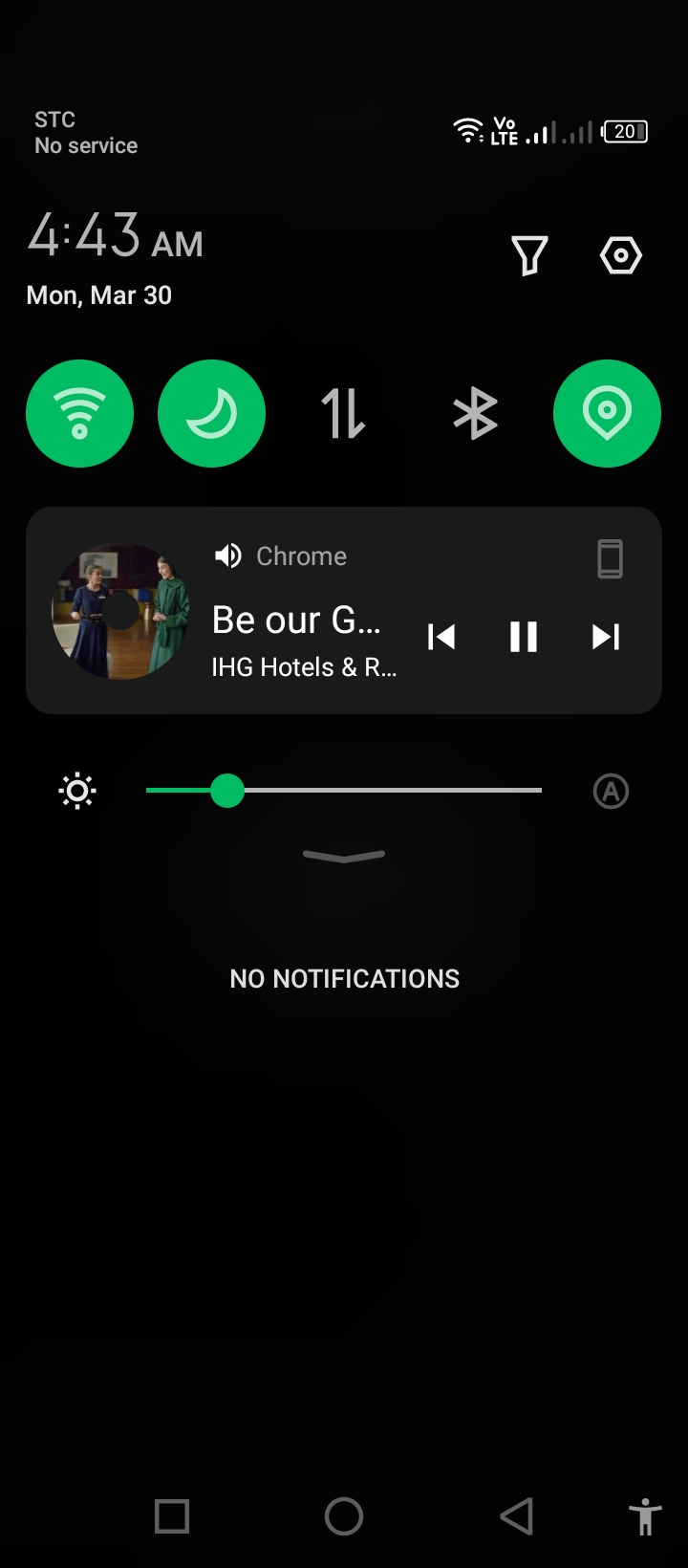
Step 6: Swipe Down Notification bar And Resume Playback Because Music may pause❗
Now Tap Play ▶️ again And Boom 💥 Enjoyyyy Browsing Other Apps while playing musics in the background 🤩
👉 Now music will continue in the background See 🎵
⚠️ Very Important Notice
- Don’t close Chrome (just minimize it)
- Use a stable internet connection
- If music stops, press play again from notification
💡 Bonus Tips (More Stable)
If playback stops:
- Open Chrome again
- Press play
- Lock your phone 🔒
- Use lock screen controls ▶️
⭐ Support Please
If this helped you, give this repository a ⭐ on GitHub!